Module @trevixal/react
@trevixal/react




Documentation · Live editor · Changelog · Issues
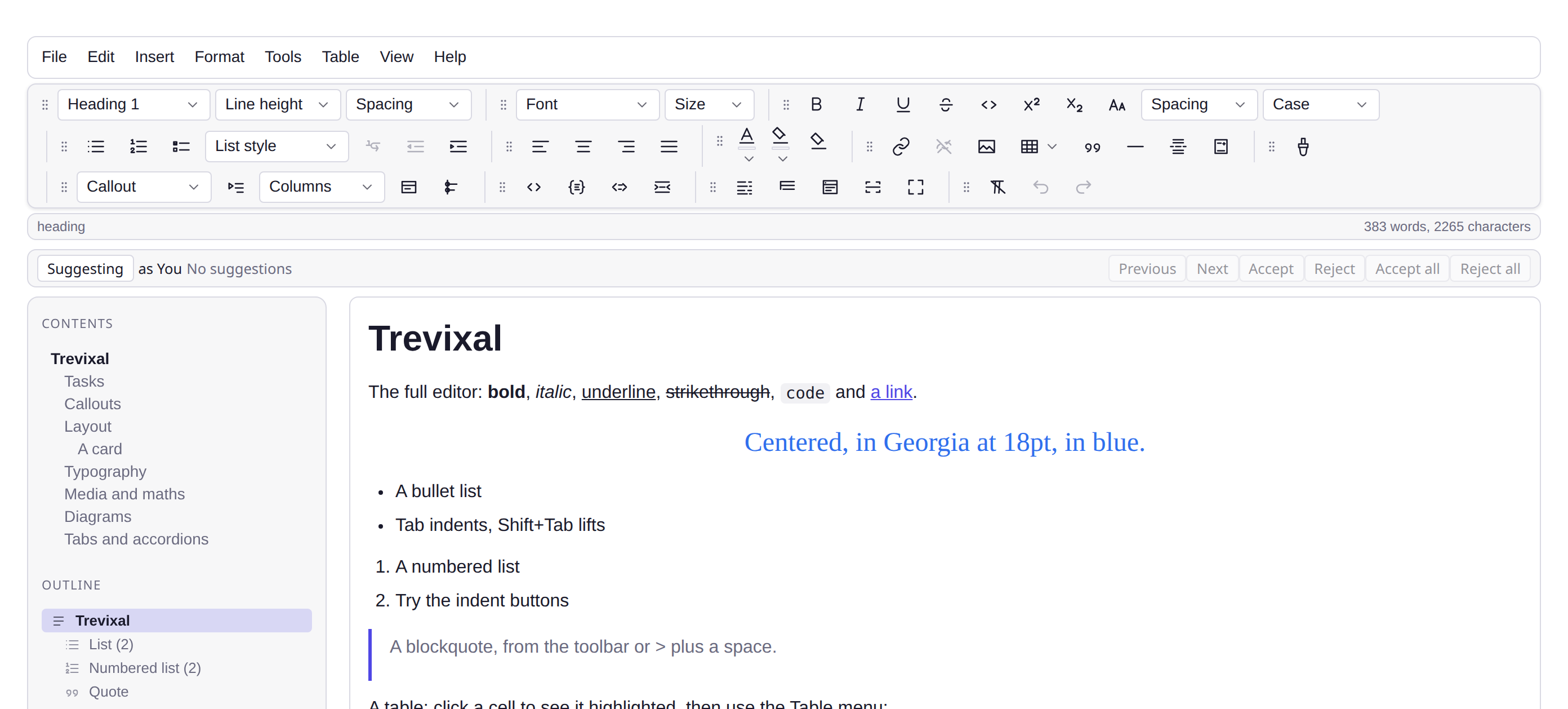
Features
useEditor,EditorContentand a reference-stable snapshot hook- Typing does not re-render your tree: the editor DOM lives outside reconciliation
- React components inside the document through portal-based node views
- 1.0 kB minified and gzipped, with TypeScript types in the package
React bindings for the Trevixal editor: a hook, a component, and portal-based node views.
npm install @trevixal/core @trevixal/react
Usage
import { Schema, defaultNodes, defaultMarks } from '@trevixal/core'
import { useEditor, useEditorSnapshot, EditorContent } from '@trevixal/react'
const schema = new Schema({ nodes: defaultNodes(), marks: defaultMarks() })
function Bold({ editor }) {
// Reference-stable snapshot: this re-renders when the toolbar state
// changes, and never on plain typing.
const snapshot = useEditorSnapshot(editor)
return (
<button
aria-pressed={snapshot?.activeMarks.includes('bold')}
onClick={() => editor.commands.toggleMark('bold')}
>
Bold
</button>
)
}
export function Editor() {
const editor = useEditor({ schema })
return (
<div className="trevixal">
<Bold editor={editor} />
<EditorContent editor={editor} placeholder="Write something…" />
</div>
)
}
Typing does not re-render your tree
The editor's DOM lives outside React's reconciliation, React mounts an
empty container and the view owns what is inside it
(ADR-0007). Toolbars subscribe to
snapshots through useSyncExternalStore, so a keystroke re-renders only the
components whose state actually changed. A test asserts that a sibling which
does not subscribe renders zero times while typing.
React components inside the document
import type { NodeViewProps } from '@trevixal/react'
function Counter({ node, updateAttributes }: NodeViewProps) {
return <button onClick={() => updateAttributes({ count: Number(node.attrs.count) + 1 })}>
{String(node.attrs.count)}
</button>
}
<EditorContent editor={editor} nodeViews={{ counter: Counter }} />
Node views render through portals, so they are ordinary React components with hooks, context and all, and their clicks dispatch real editor transactions.
Exports
useEditor, useEditorSnapshot, EditorContent, EditorProvider,
useCurrentEditor, and the EditorContentProps / NodeViewProps types.
License
Apache-2.0